SayIntentions.AI on-the-go!
PocketSky
The Mobile Experience for SayIntentions.AI Premium Subscribers



Designed For
Built for Pilots
Who Never Stop Flying
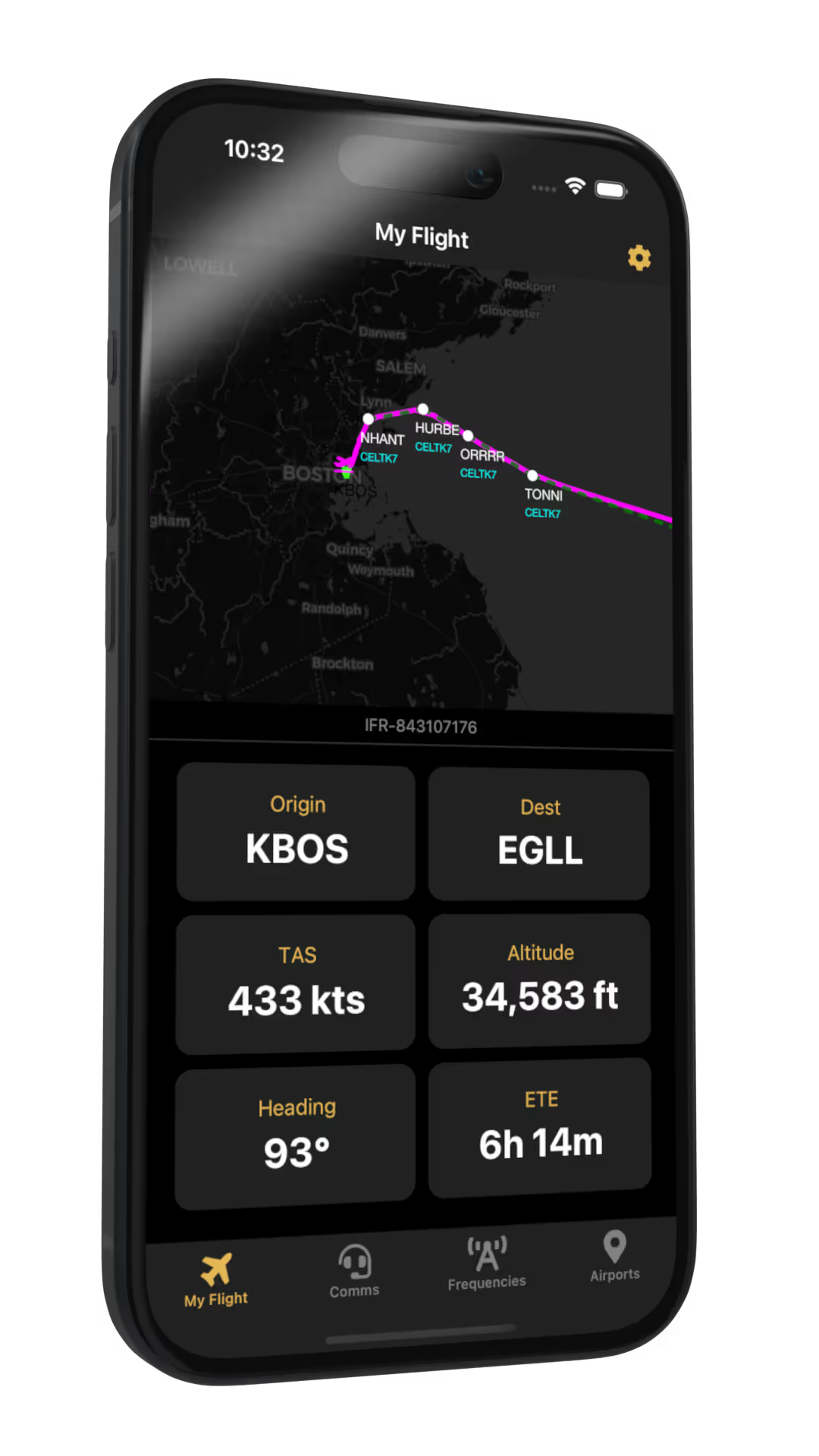
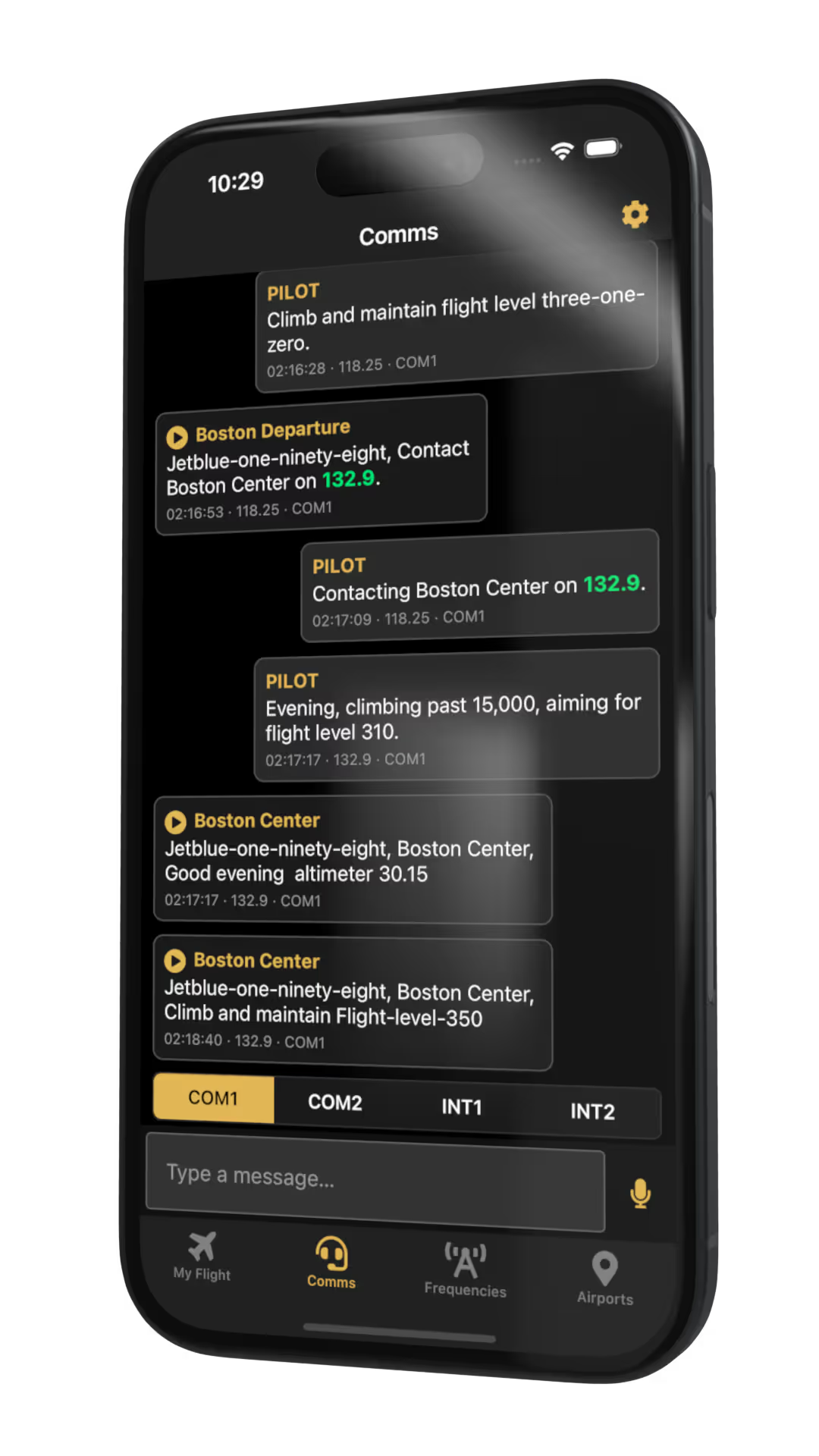
PocketSky is for SayIntentions.AI Premium Subscribers who want flexibility mid-flight — whether in the cockpit or away from the sim.
Long-Haul Sim Pilots
Keep tabs on your transatlantic flight from anywhere — no need to stay glued to the screen.
Pilots with Real-Life Commitments
Step away from the sim to handle dinner or work — then check back in on your flight.
EFB-Style Pilots
Use your phone or tablet as a cockpit EFB alongside your sim setup.
Mobile-First Planners
Plan flights, browse commercial routes, and file SimBrief plans from your phone.

What's Included
Everything You Need,
Right in Your Pocket
PocketSky | Ground Operations
Airport Monitoring
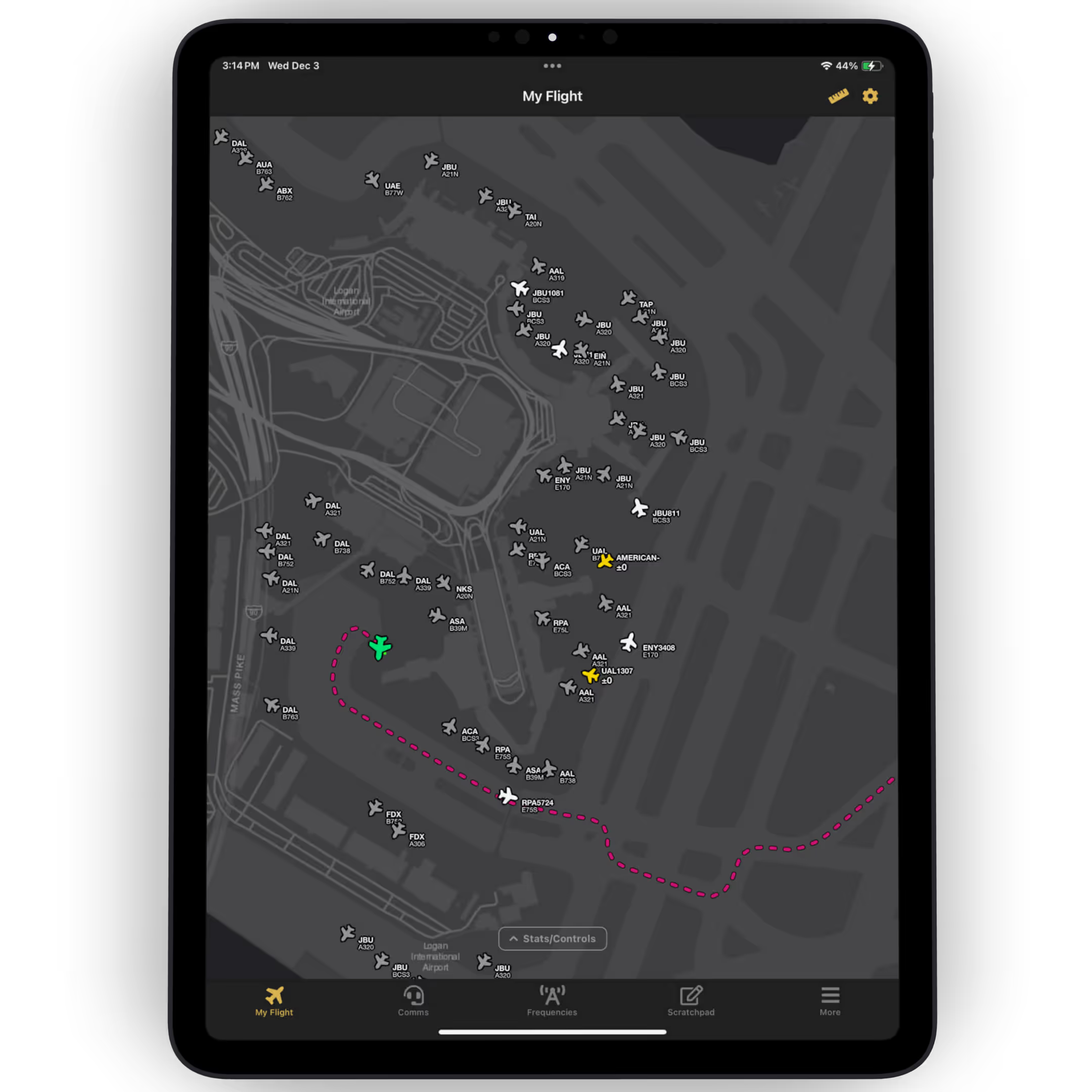
Stay fully aware of everything happening around your aircraft on the ground. Whether you're navigating complex taxiways, watching for nearby moving traffic, or monitoring a busy ramp, PocketSky keeps you confident, informed, and safe during all ground operations.
PocketSky | For the Pros
In-Flight Monitoring
AI, SkyNet Multiplayer, and even Non-SI Traffic — all at a glance. Familiar TCAS-style indicators show climb/descend and relative altitude of nearby aircraft, giving you full situational awareness throughout departures, arrivals, and cruise.
Let's Go!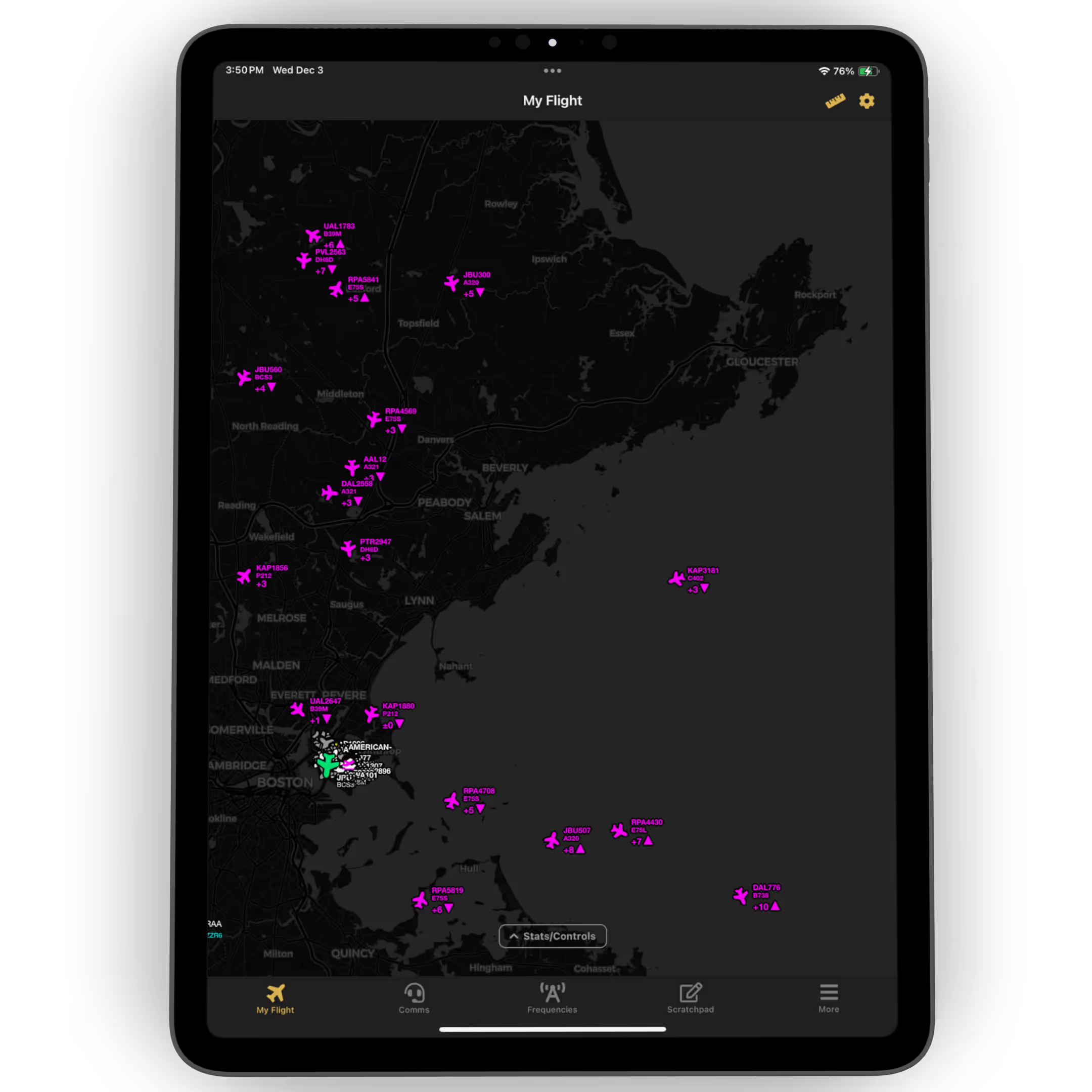
PocketSky | ScratchPad
Write Stuff Down —
Just Like IRL
A quick-access digital notepad with ready-made templates for CRAFT, Taxi, Departure, Arrival, Approach, ATIS, Frequencies, and General Notes — perfect for capturing everything you'd normally jot on a real kneeboard.
PocketSky | Airport Lookup
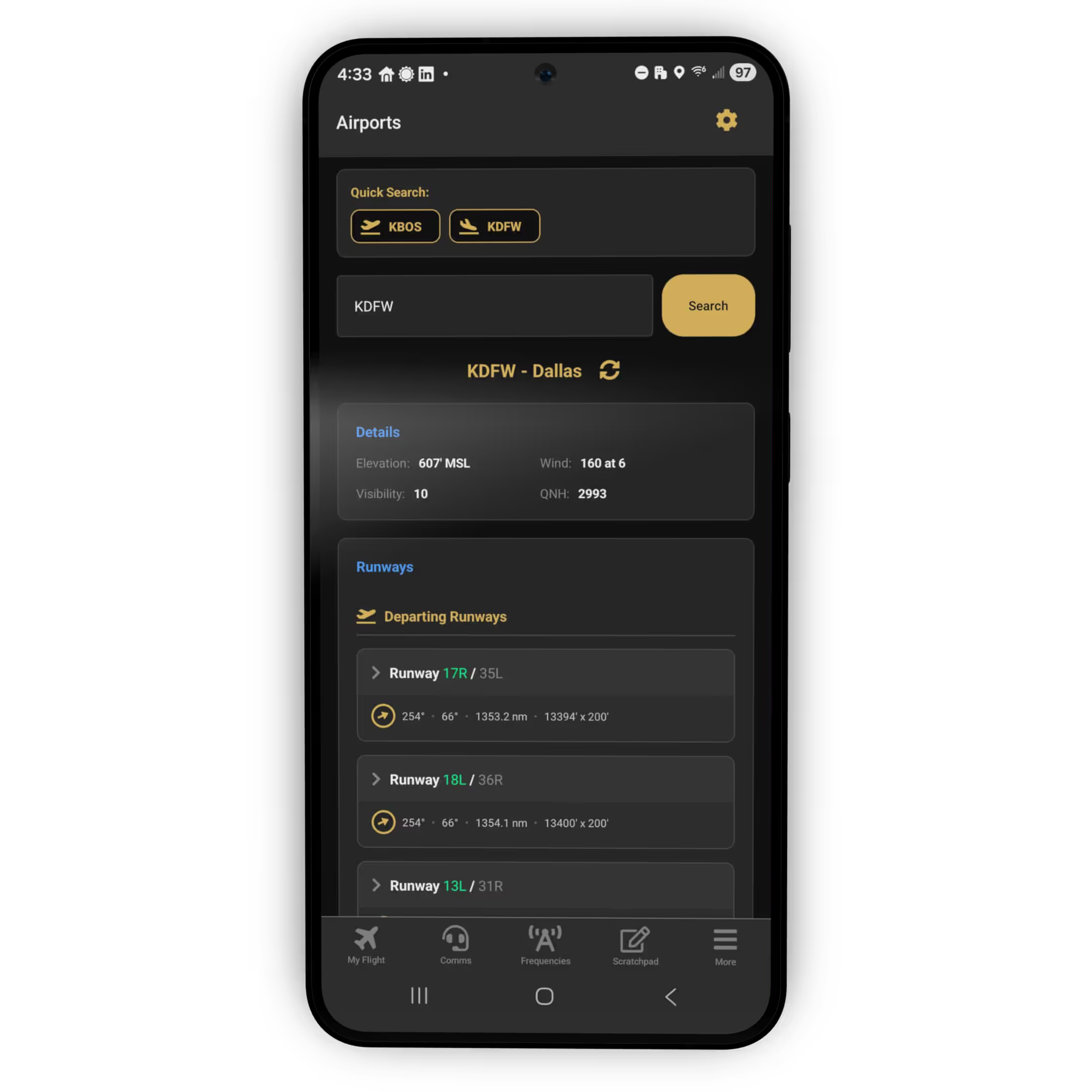
Airport at a Glance
Instantly pull up critical details for any airport. Perfect for quick planning, mid-flight decision-making, or checking conditions before departure or arrival.
PocketSky | Real-World Schedules
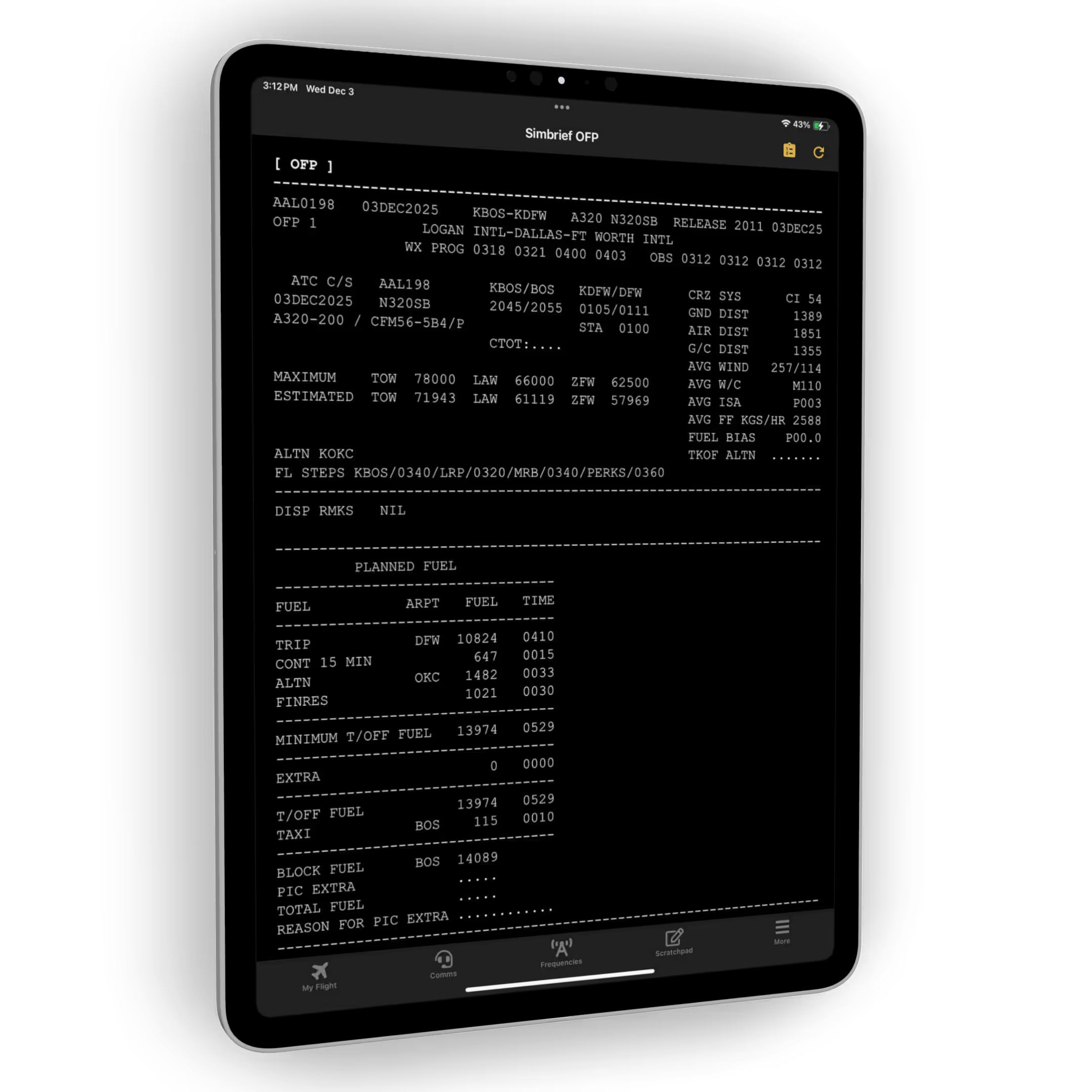
SimBrief Integration
Quick file flight plans directly from PocketSky, and view your SimBrief Operational Flight Plan (OFP) right inside the app — no switching between windows or devices.

PocketSky | Real-World Schedules
Commercial Routes
Browse thousands of real-world scheduled routes and instantly file your chosen route to SimBrief with one tap from PocketSky — no copy-pasting or manual entry required.
Get StartedPocketSky | SkyOps & Air Care Alliance
Mission Board
Quickly find SkyOps or Air Care Alliance (ACA) missions and accept them right inside PocketSky — with the option to file an IFR flight plan through SimBrief if you choose.
Ready for Missions!
PocketSky | Powered by Taxi Tuner
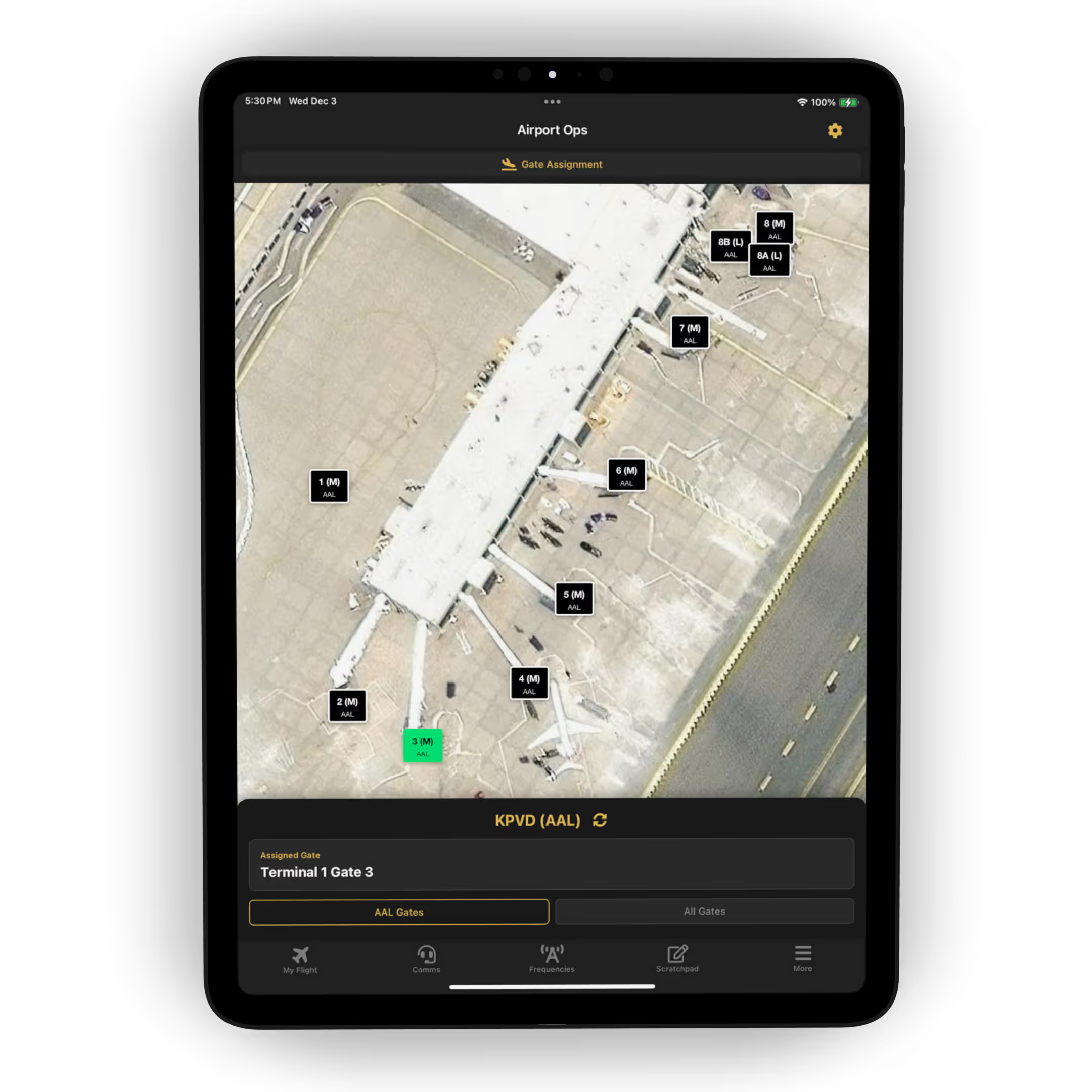
Gate Request Map
Coordinate your arrival like a real airline operation. The Gate Request Map lets you instantly see where you'll be parking, identify your airline's gates at any airport, and easily submit a gate change request to Airport Ops whenever needed.
PocketSky | Checklists
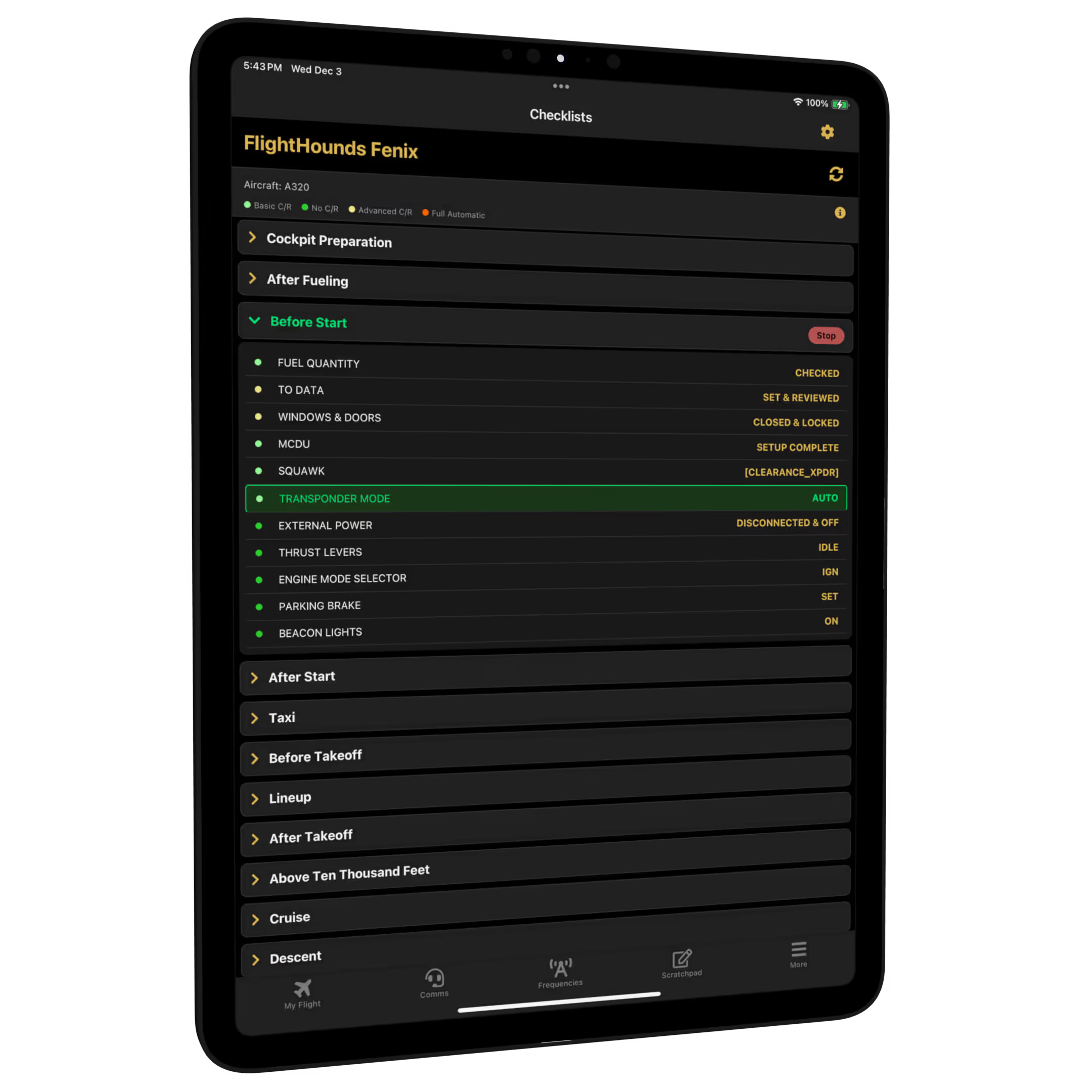
Checklists
In Your Pocket
Keep an eye on your checklists while running them with your co-pilot — even when you step away from the desk. PocketSky stays in sync with your simulator in real time.
PocketSky | Map
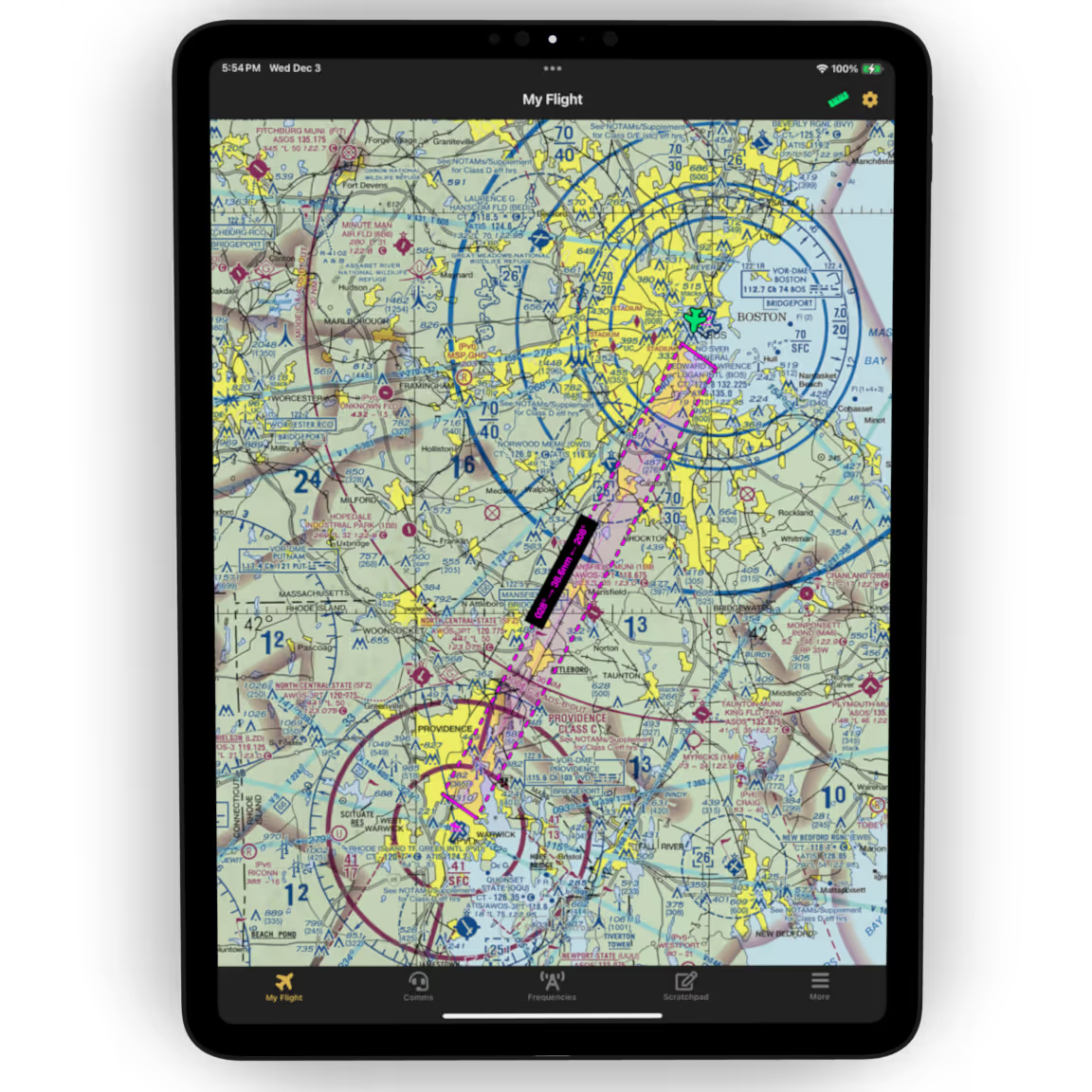
Map Layers & Tools
Get the full picture of your airspace with powerful map layers and intuitive tools designed to enhance both planning and in-flight awareness.
VFR Map Layer
Classic sectional-style VFR overlay with airways and airspace boundaries.
IFR Map Layers
High and low altitude IFR charts with victor airways and jet routes.
Satellite Layer
Photorealistic satellite imagery — identify terrain and get your bearings.
Weather Radar
Live radar overlay showing precipitation intensity along your route.
Flight Follow Mode
Lock the map to your aircraft — always centered, always oriented.
Distance Ruler
Pinch to measure distance and ETE between any two points on the map.
PocketSky | Logbook
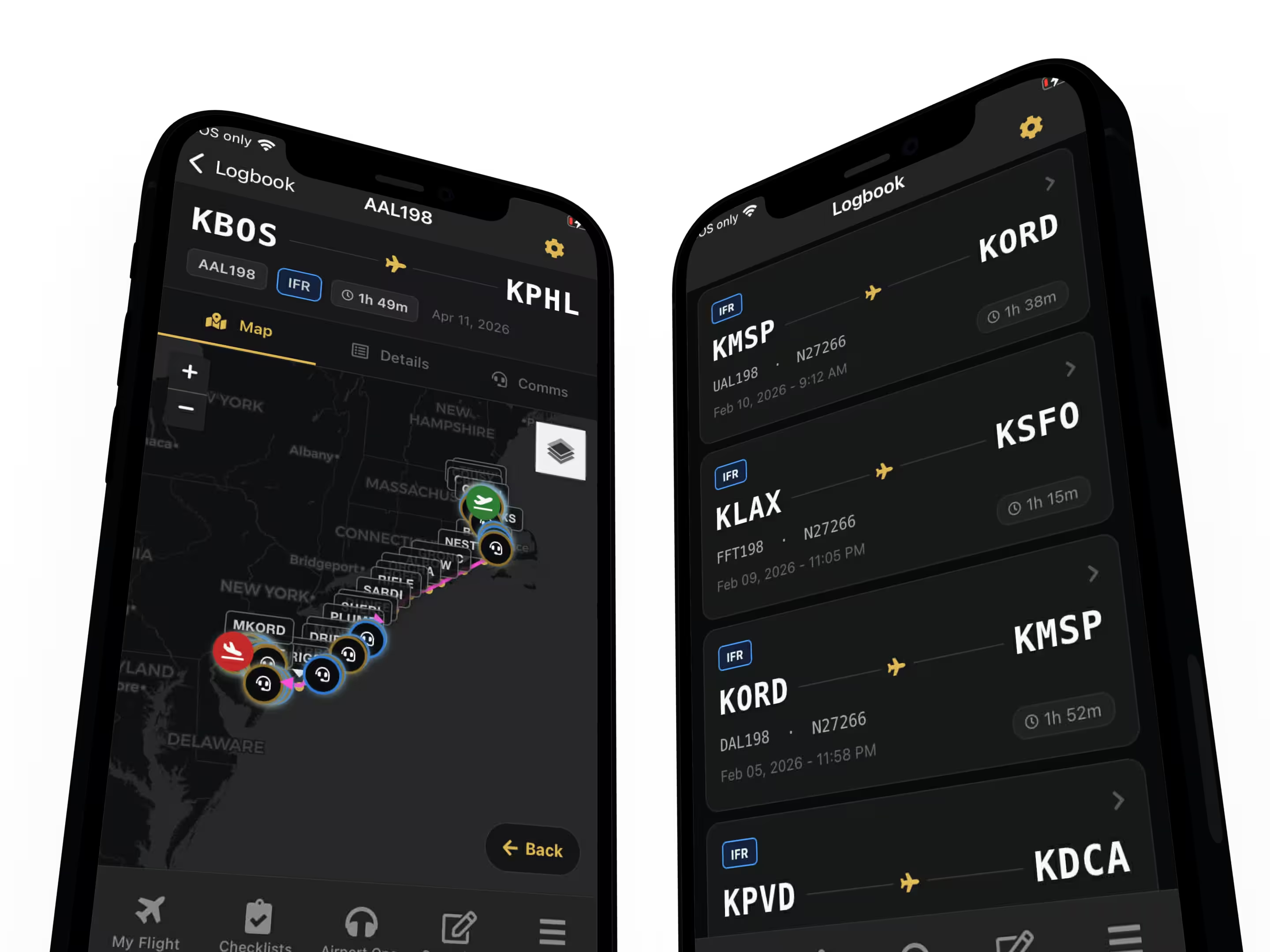
Logbook
Anywhere, Anytime
Review your past flights with maps, detailed stats, and ATC/Pilot audio playback - whether you are at your desk or on the go.
Take Your First Flight with SayIntentions.AI
Try PocketSky Today!
PocketSky is included free with every SayIntentions.AI Premium subscription.
24-hour free trial. Full access. Completely free.