Tune COM1 & COM2
Dial in the next frequency the moment you're handed off — turn the knob and the radio follows, no mouse required. Knob tuning on Stream Deck+.
Included with Premium
A complete SayIntentions.AI radio panel is ready to load onto your Elgato Stream Deck — COM tuning, squawk, push-to-talk, and crew calls right on the keys and dials, plus a few things a plain COM box simply can't do.
Why a Stream Deck
Whether an Elgato Stream Deck is already part of your setup or you're thinking about adding one, it turns into a purpose-built radio panel for SayIntentions.AI. Tactile keys and dials handle the COM tuning and squawk work you repeat every flight, then go further with crew calls, window control, and per-channel audio a plain COM box was never built for.
What You Can Control
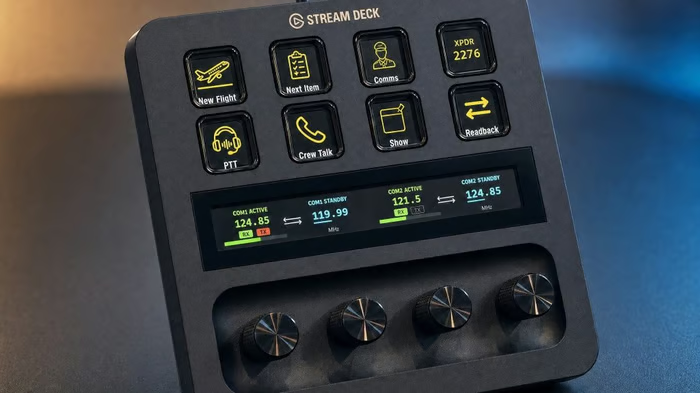
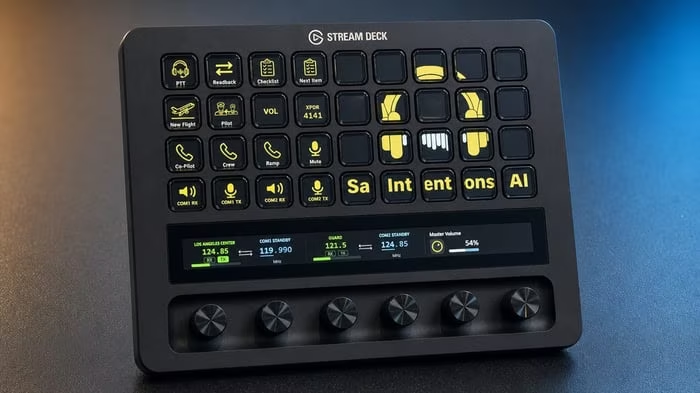
Comm tuning, squawk codes, push-to-talk — the controls you reach for constantly, mapped to physical keys and dials. Keys work on every Stream Deck; dials come with the Stream Deck+. Keep a hand on the hardware instead of clicking through sim windows mid-call.
Dial in the next frequency the moment you're handed off — turn the knob and the radio follows, no mouse required. Knob tuning on Stream Deck+.
Enter the transponder code the moment ATC assigns it — straight from the keys, without pausing to find the right window or controls.
Transmit on COM1 or COM2 from a dedicated key — no reaching for a keyboard shortcut mid-transmission. One press, you're talking.
Reach your copilot, the cabin, or ramp with a single key — every crew channel right on the deck, no extra bindings to remember.
Pin the SayIntentions.AI app on top with one key, so you can glance at ATC the instant you need it — no alt-tabbing away from the flight.
Set volume per channel from the dials — bring COM1 up, mute the cabin, balance the flight deck to your taste.
Start your next flight with the press of a button and get back in the air — no clicking back to the desktop app to kick things off.
Map everything to buttons on any Stream Deck, or add the Stream Deck+ dials for tuning and volume — the layout fits the hardware you fly with.

Works With Any Aircraft
Unlike the aircraft-specific Stream Deck profiles out there, this one isn't tied to a single airframe. It works with any aircraft you already fly in SayIntentions.AI — from a GA single to a heavy — so the same panel comes with you, flight after flight.
And since it's a standard Elgato profile, you can mix and match it with aircraft-specific profiles you already use — combining their type-specific keys with your SayIntentions.AI radio and crew controls into one custom layout.
Build Your Layout
Start from the ready-made profile and make it yours in the Elgato Stream Deck app. Keep it simple with COM, squawk, and PTT, or build out the whole cockpit with crew shortcuts and window control — tuned around your aircraft and workflow.
Ready When You Are
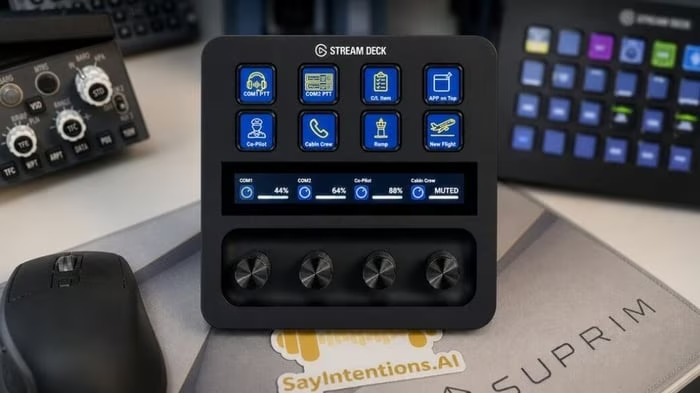
A complete profile comes ready for your Stream Deck — no building from scratch. Use it as-is, or rearrange keys and dials in the Elgato Stream Deck app to match how you fly.
STEP 01
The SayIntentions.AI desktop app detects your Elgato software automatically and offers to install the ready-to-go profile — just say yes.
STEP 02
COM, squawk, push-to-talk, and crew calls are already mapped to your keys and dials.
STEP 03
Rearrange anything in the Elgato Stream Deck app to fit your aircraft and workflow.
Want the full setup guide or troubleshooting? Visit the help center.
Bring COM tuning, squawk, push-to-talk, and crew calls to your fingertips — a purpose-built radio panel for every SayIntentions.AI flight.