Always Free

Free Tools and Features
for Flight Simmers

Tune your sim, find real-world routes, and brief any airport in seconds. Every tool on this page is free with a SayIntentions.AI account.

  • AI System Optimizer
  • Commercial Route Board
  • Airport Lookup
  • Mobile planning in PocketSky

Free for Every Pilot

A practical toolkit for better sim performance and faster flight prep, available to anyone with an account, including demo and expired accounts.

Free Features | Performance

AI System Optimizer

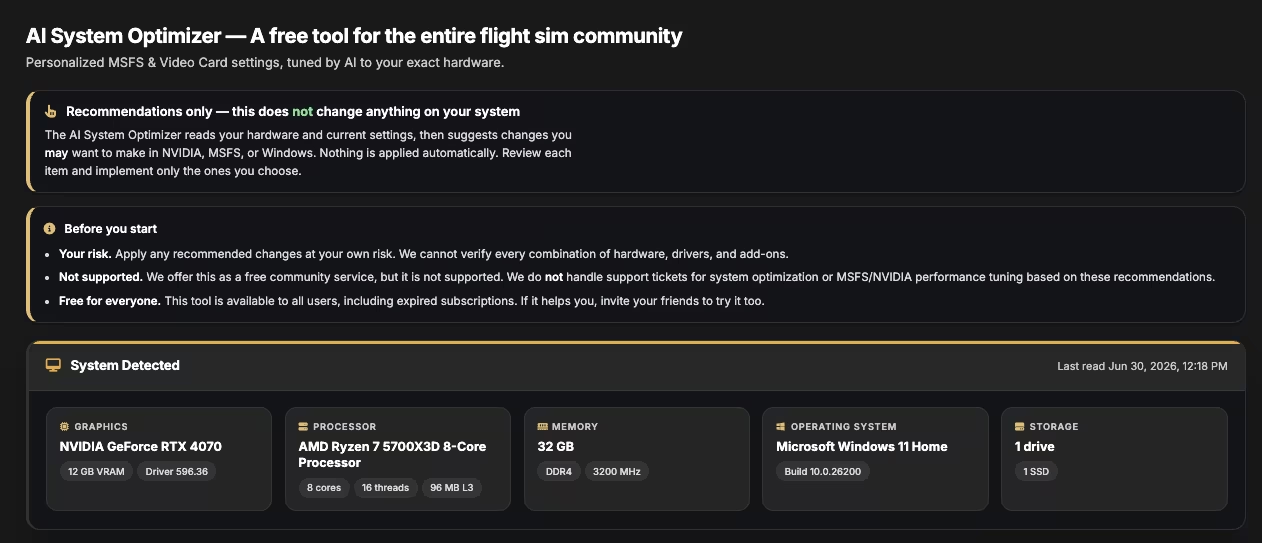
Optimizer screenshot 1 showing system detection details
Step 1 - System Detection
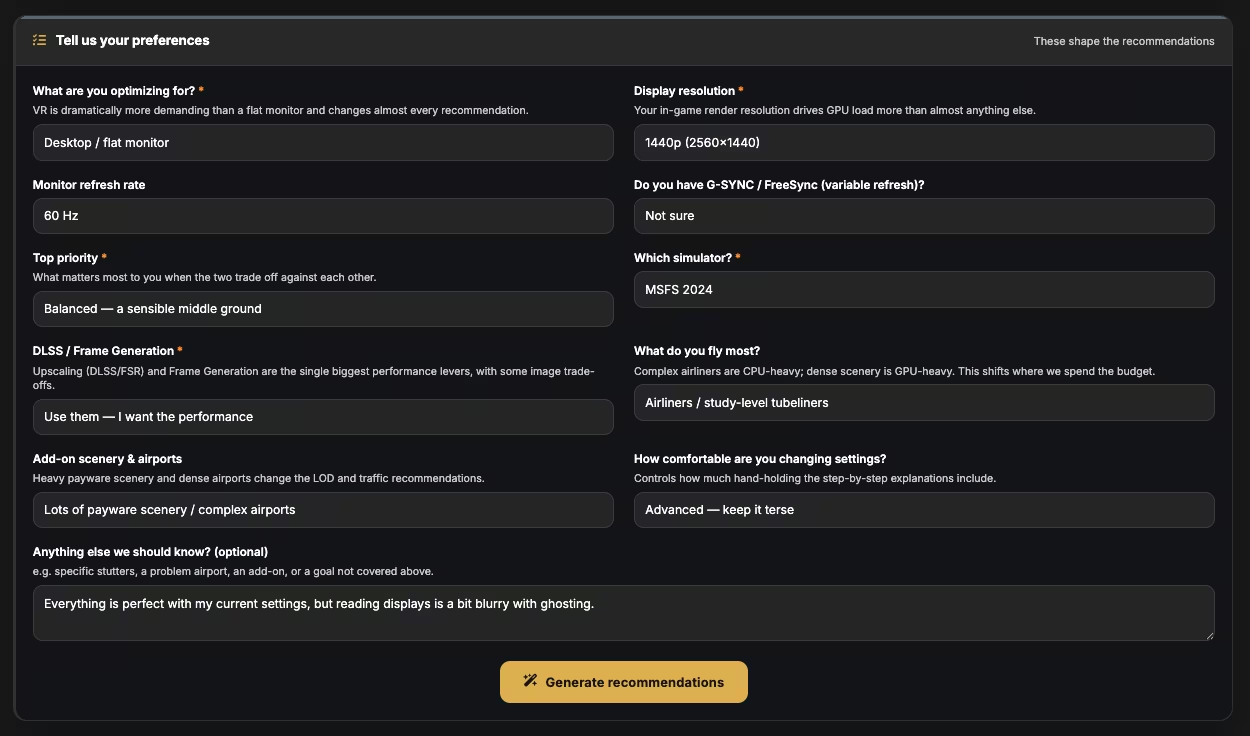
Optimizer screenshot 2 showing questionnaire configuration
Step 2 - Complete Questionnaire
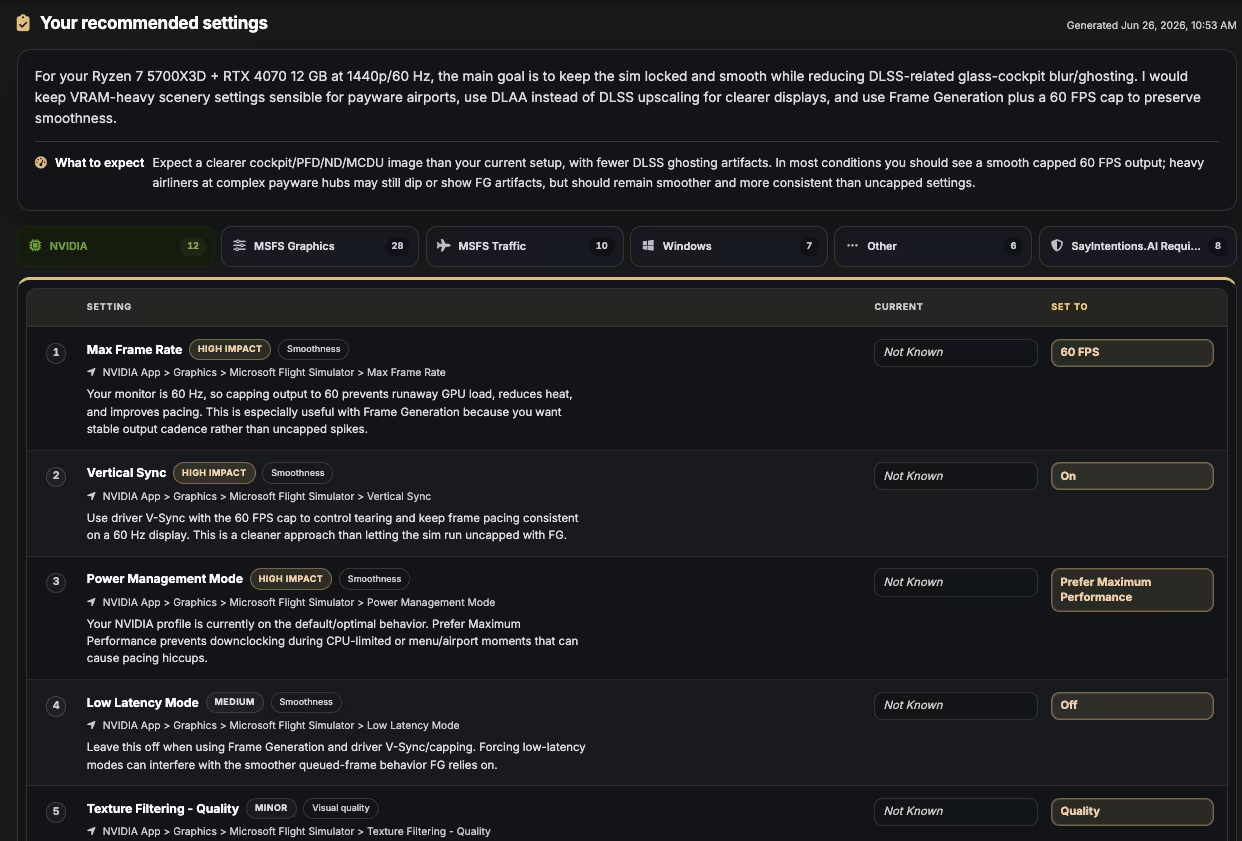
Optimizer screenshot 3 showing personalized optimization recommendations
Step 3 - Personalized Optimization Plan

Free for everyone, the AI System Optimizer reads your hardware plus current MSFS and NVIDIA settings, then gives you a prioritized report of what to change, where to find it, and why it matters for your exact setup.

Nothing is changed automatically. You review each recommendation, apply what you want, and skip what you do not.

"AI is uniquely good at understanding how all these settings interact. By looking at your system, setup, and priorities, this tool can deliver optimization beyond generic guides." - Brian Shellabarger, CEO
  • Recommendations by category: NVIDIA, MSFS Graphics, Windows, Traffic, and SI Required
  • Hardware-tailored rationale with estimated impact for every recommendation
  • Available for free, including demo and expired accounts that can access the Portal

Service notice: optimization recommendations are offered as-is and are not part of support coverage.

How to Use the Optimizer

  • Create or log into your SayIntentions account
  • Install the SI app, launch MSFS, and click New Flight to upload fresh stats
  • Open AI System Optimizer in Pilot Portal and complete the questionnaire
  • Generate recommendations, apply selectively, and regenerate as your setup changes

Walkthrough Video

Free Features | Flight Planning

Commercial
Route Board

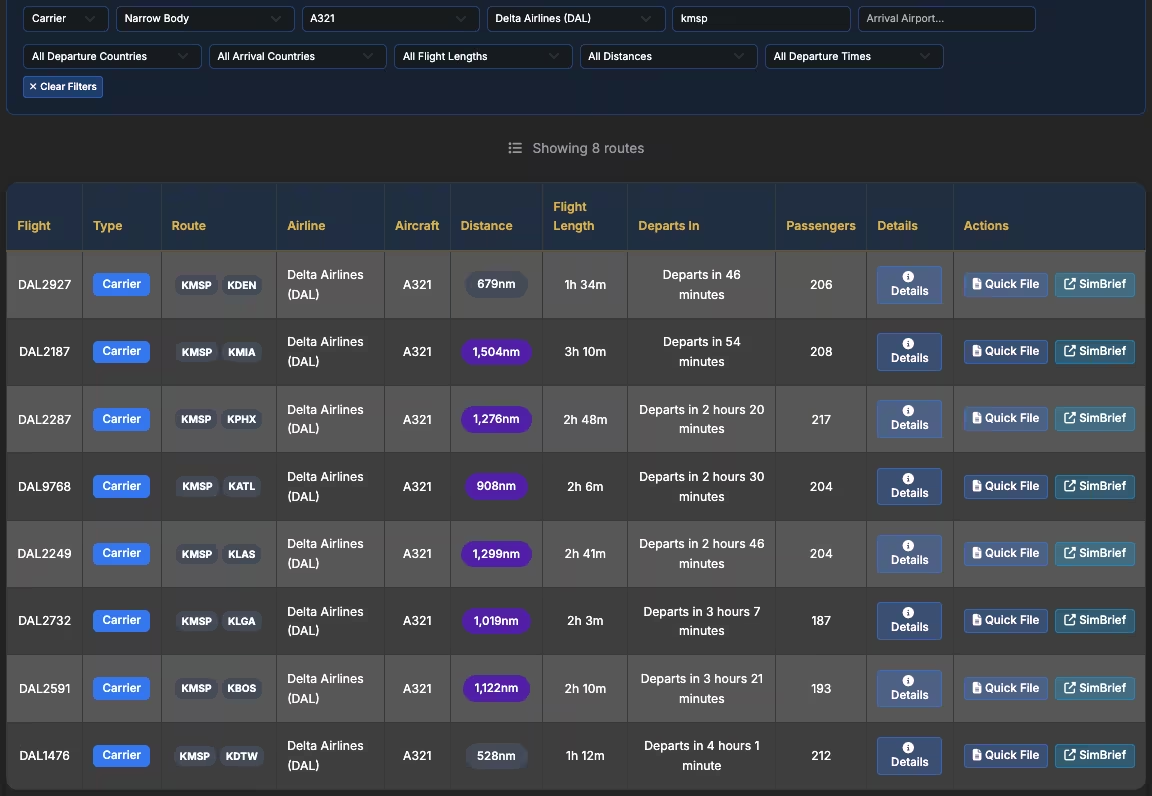
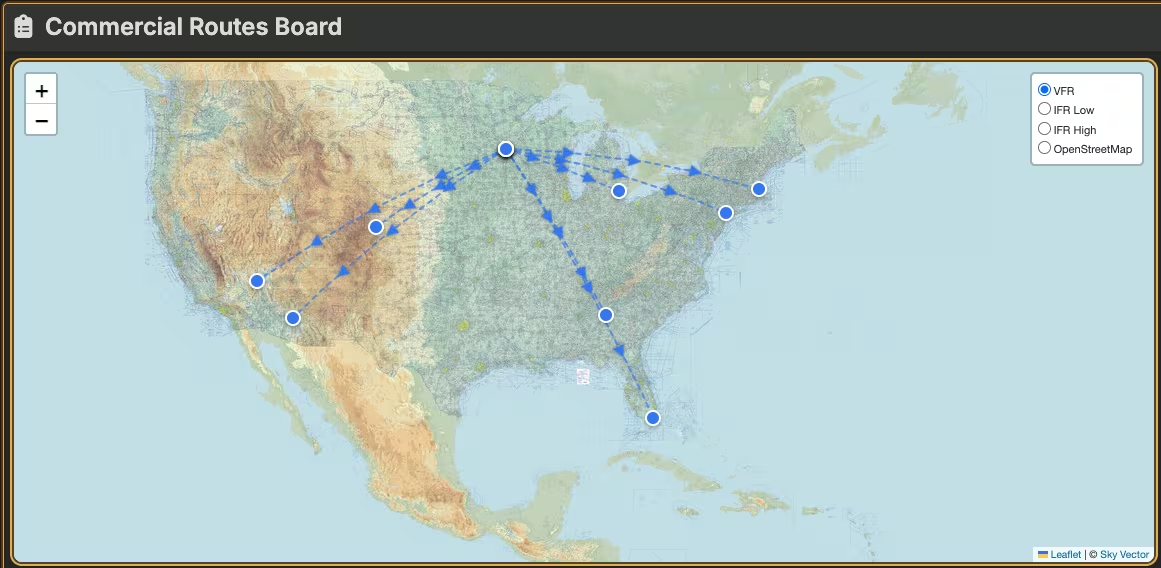
Browse real-world route schedules quickly and move from route discovery to action with less prep time. No more hunting through external flight trackers and manually re-entering everything into SimBrief.

  • Free real-world route discovery for planning sessions
  • Filter by location, airline, flight length, and more
  • SimBrief Quick File integration

Free Features | Briefing

Airport
Lookup

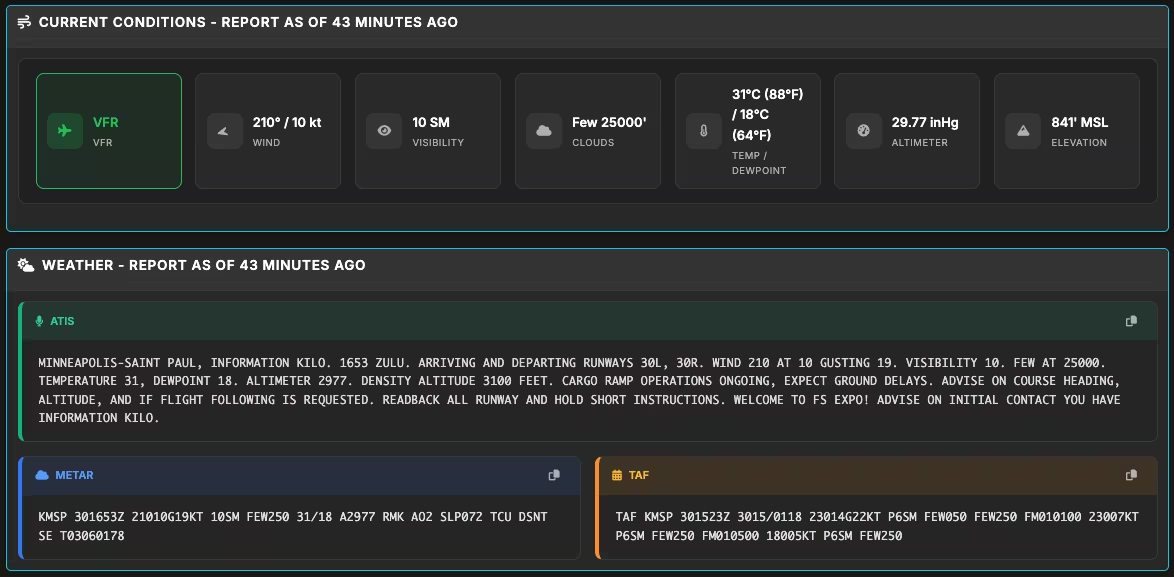
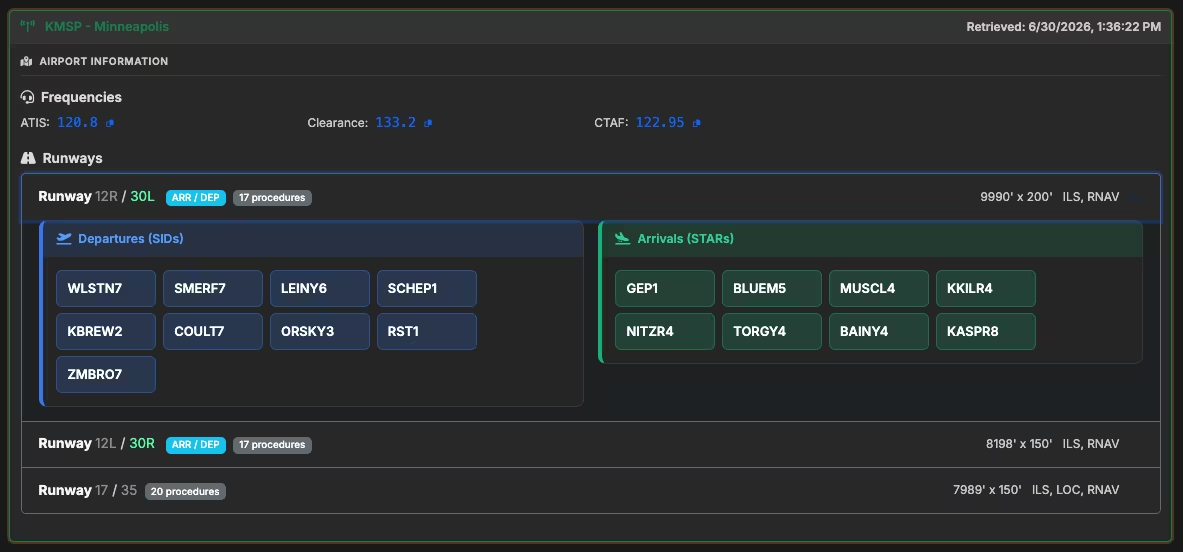
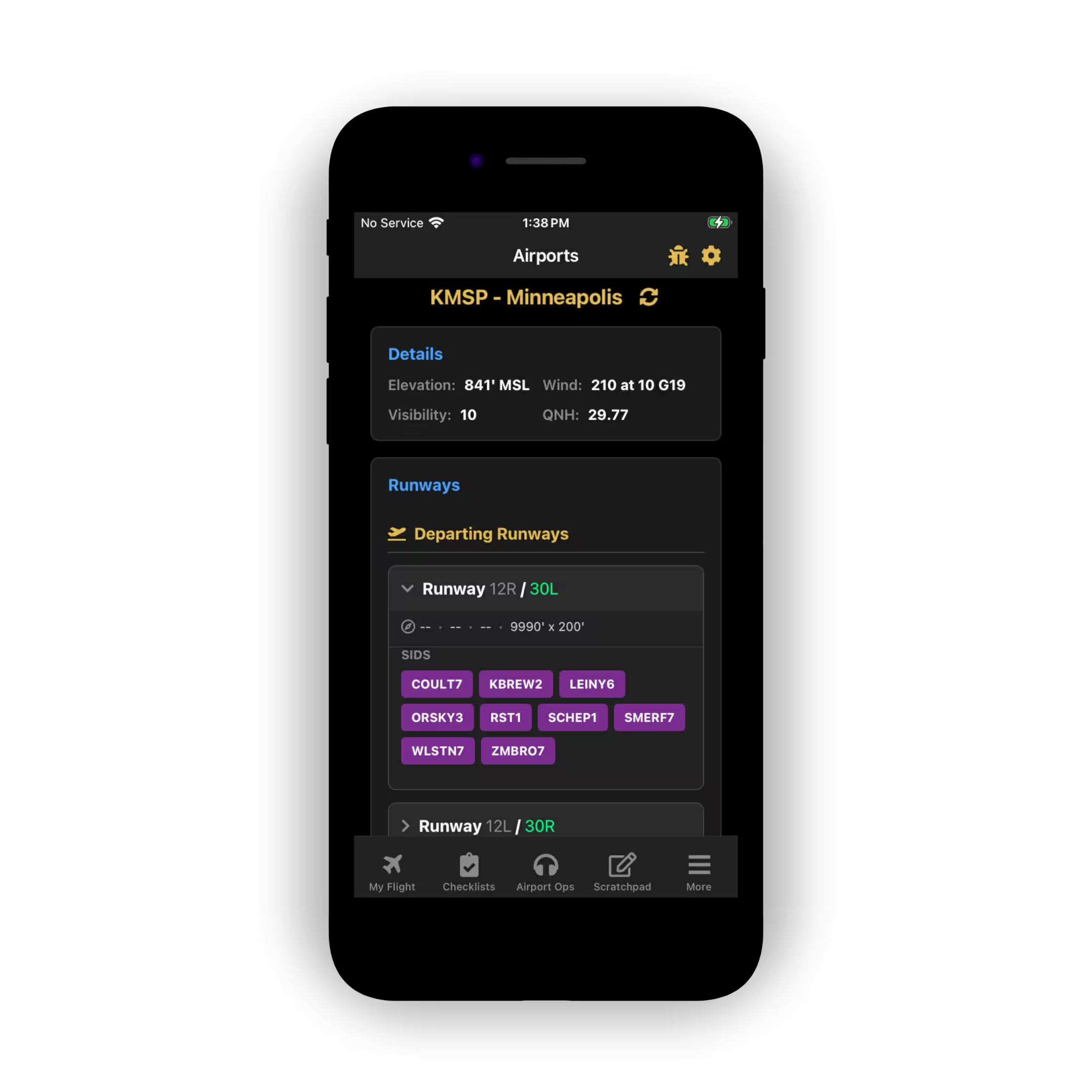
Pull key airport information fast so you can brief, route, and adapt without leaving your flow.

  • Runway and airport context at a glance
  • Faster planning decisions before departure and arrival
  • Free with your account, alongside every other tool on this page

Free Features | Mobile

Route Prep in Your Pocket
with PocketSky

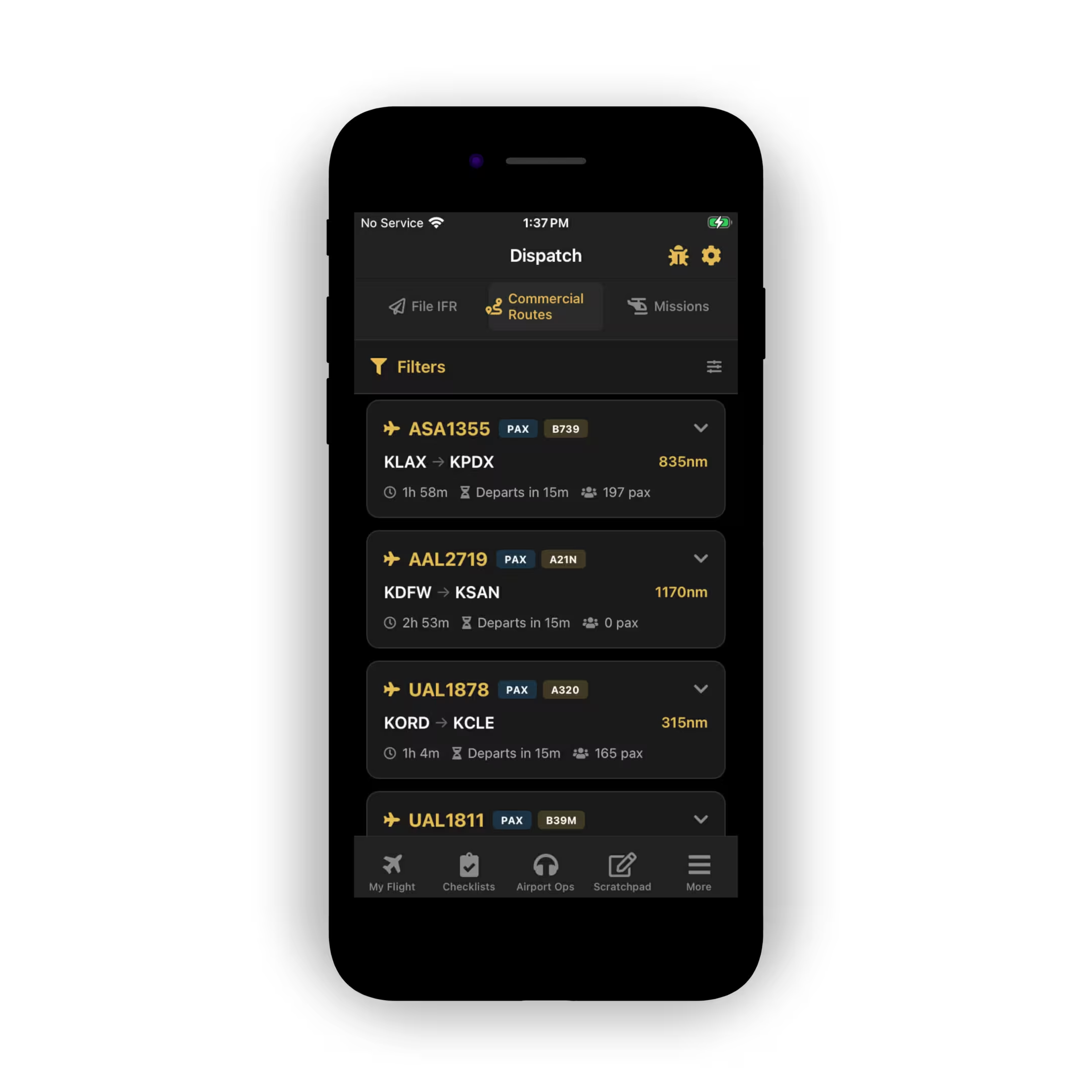
Commercial Routes and Airport Lookup are both in PocketSky, so route prep and airport checks stay available on your phone, whether you are planning tonight's flight from the couch or adjusting on the way to the desk.

  • Commercial Routes on mobile
  • Airport Lookup on mobile

Get the Free Tools

Create an account and get instant access to the AI System Optimizer, Commercial Route Board, and Airport Lookup at no cost.
Every new account also includes a free 24-hour trial of SayIntentions.AI Premium.