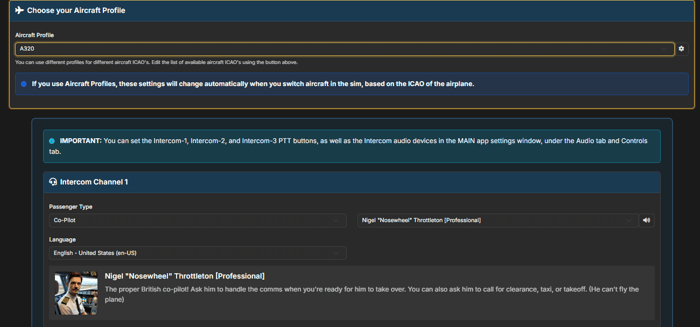
Aircraft Profiles let you save and automatically switch settings based on the aircraft you're flying. Your 737 settings stay with your 737, and your Cessna settings stay with your Cessna.
With Aircraft Profiles, configuration happens once and works forever.
FEATURE HIGHLIGHTS
- Aircraft-Based Profiles: Create profiles tied directly to aircraft ICAO codes.
- Automatic Switching: Load an aircraft and your settings apply automatically.
- Per-Aircraft Customization: Different checklist timing, voice preferences, and more per plane.
- Pilot Portal Integration: Manage all profiles from one central location.
How Aircraft Profiles Work
Aircraft Profiles associate your configuration with an ICAO aircraft code. When you load the PMDG 737, your 737 profile activates. Switch to the Fenix A320 and your A320 settings take over. No manual switching required.
This has been one of our most requested features since day one.
What You Can Configure
Aircraft Profiles store everything aircraft-specific: checklist timing, voice preferences, automation levels, copilot behavior, and more. Configure once per aircraft type and never think about it again.
Access Aircraft Profiles
Aircraft Profiles are available through the Pilot Portal. Create your first profile and experience the convenience of automatic configuration.