
SayIntentions.AI now has a widget available for Parallel 42’s Flow Pro, bringing essential SayIntentions.AI features directly into the sim for MSFS 2020 and MSFS 2024.
Why Flow Pro?
Parallel 42 has created one of the flight simulation community’s most loved and customizable platforms for in-sim widgets. A large portion of our users already rely on Flow Pro, and its flexibility, capability, and support for custom in-sim tool development made it a natural fit for SayIntentions.AI.
For this project, Flow Pro has proven to be exactly the kind of platform we needed: powerful enough to support a full-featured in-sim experience, while flexible enough to let pilots customize how and where the widget fits into their workflow.
The FlowPro Widget is designed to make key SayIntentions.AI features easier to access directly in the sim, especially for pilots using VR or those who prefer to keep everything available inside the simulator.
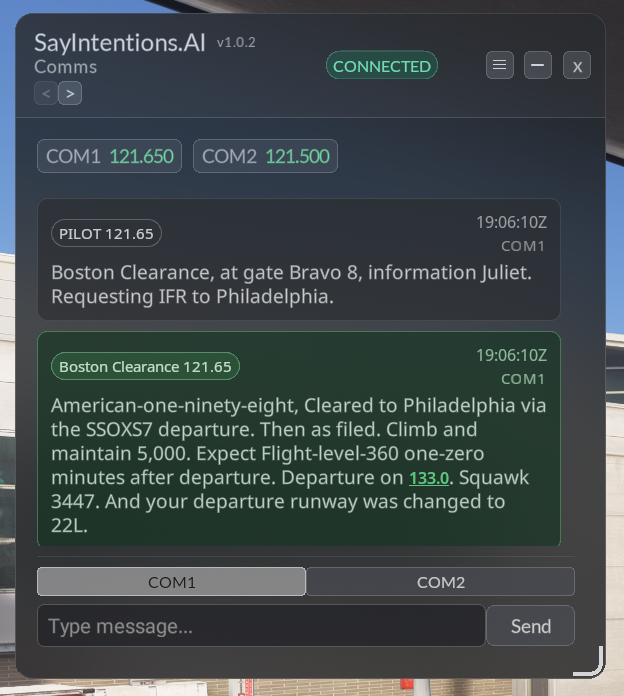
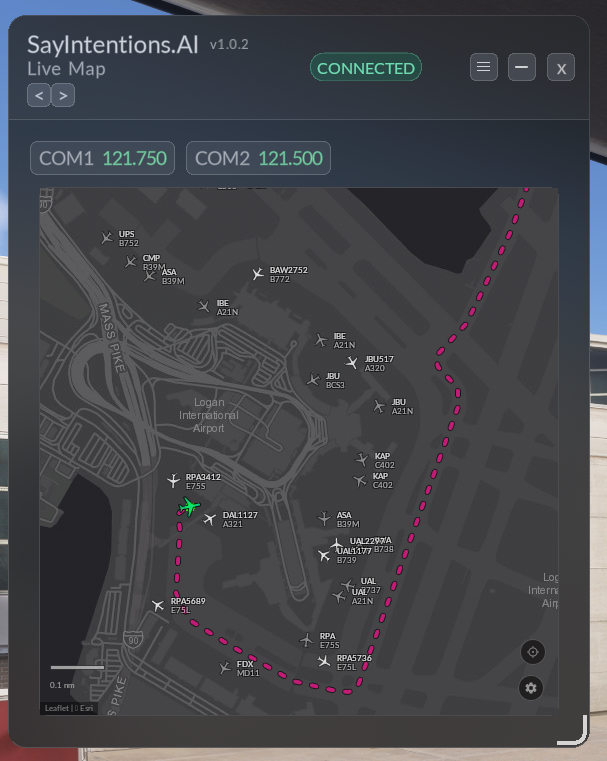
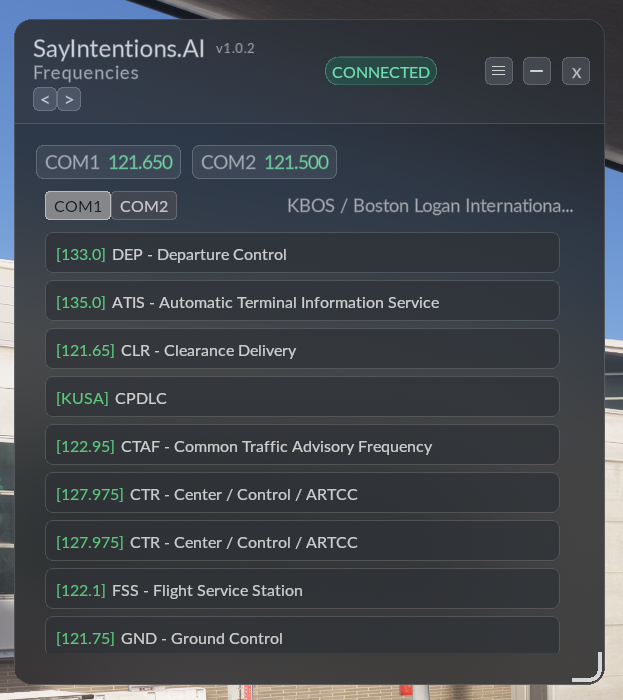
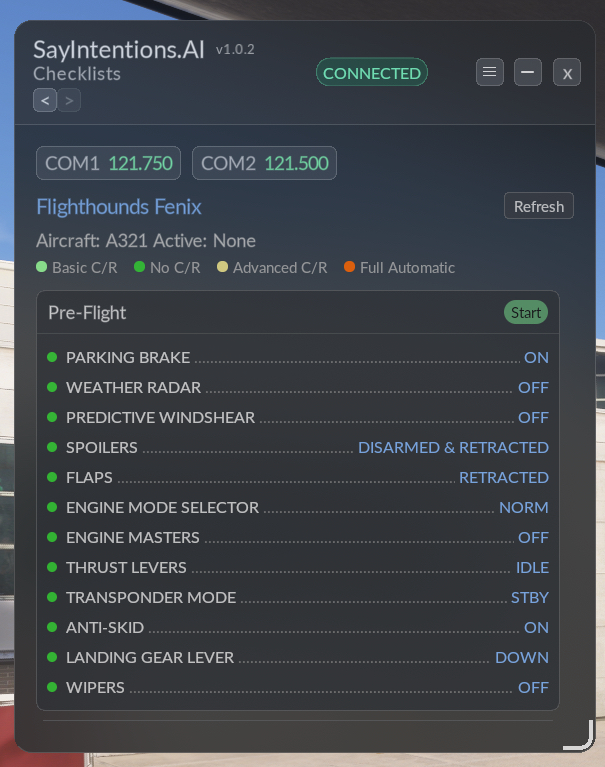
With the widget, you can access radio comms, frequency switching, live map tracking with traffic and multiplayer injection, airport lookup, active runways, ATIS, METAR, TAF, frequencies, and checklists. Checklist support also includes automatic scrolling as you complete items with your copilot, helping you stay focused during each phase of flight.
The widget is fully customizable to fit your setup. You can resize the window, place it wherever you want, and adjust the zoom level so the display feels right for your screen, cockpit layout, or VR view.
The widget can also be minimized into a small, transparent, out-of-the-way icon and reopened anytime. When minimized, hovering over it will show the text from your latest transmission. You can also use the FlowPro wheel to hover and scroll, making it easy to quickly open the exact page you need.
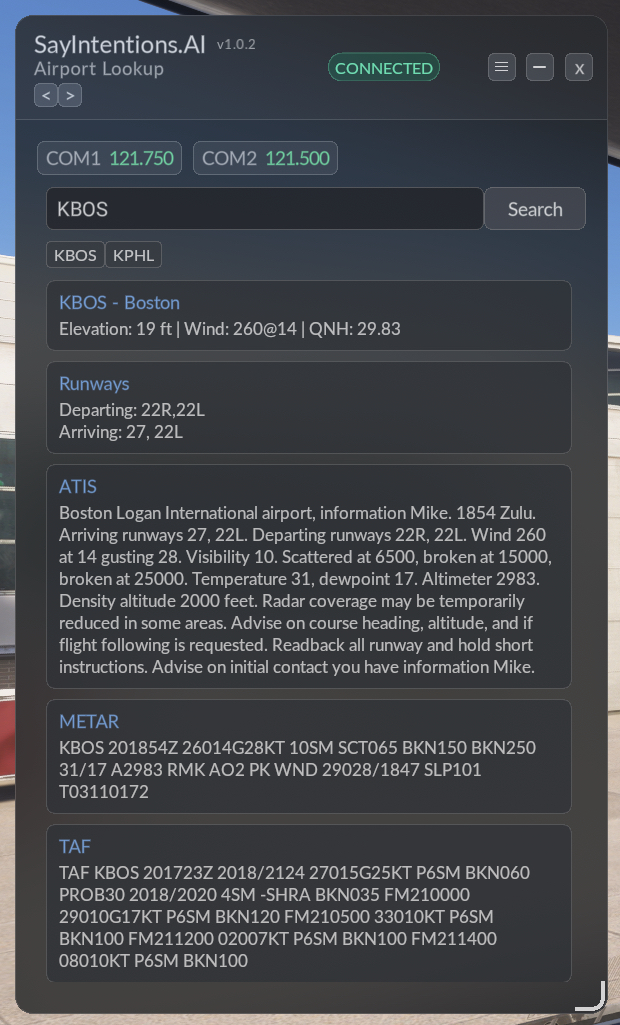
This is a great step forward for flight simmers who want efficient access to SayIntentions.AI tools without leaving the sim. We’d also like to thank our friends at //42 for the collaboration on this effort.
Important note: The SayIntentions.AI Widget requires Flow Pro and will not work with the standard Flow version.
Watch the FlowPro Widget in Action
Here is a quick look at the SayIntentions.AI FlowPro Widget running live inside Microsoft Flight Simulator, with AI ATC, frequencies, and the in-sim map all reachable without leaving the cockpit.
How to Get the FlowPro Widget
See our FlowPro Widget Quick Start guide for setup instructions.
Frequently Asked Questions
Does the FlowPro Widget work with MSFS 2024?
Yes. The SayIntentions.AI FlowPro Widget fully supports Microsoft Flight Simulator 2024 (MSFS 2024) and Microsoft Flight Simulator 2020 (MSFS 2020).
Does the FlowPro Widget work in VR?
Yes. The FlowPro widget was designed to work in both 2D desktop and FlowPro’s VR popout panel.
Will it work with Flow (non-Pro version)?
No. The SayIntentions.AI Widget requires Flow Pro from Parallel 42 and is not compatible with the standard Flow package.
Is there a discount?
Yes. For a limited time, you can use code SAYFLOWPRO at checkout to save 30% on Flow Pro. The code applies to Flow Pro for MSFS 2024 only, cannot be used on the MSFS 2020 version, and cannot be combined with other discount codes.